
Dynamic ORDER BY Without Dynamic SQL in SQL Server

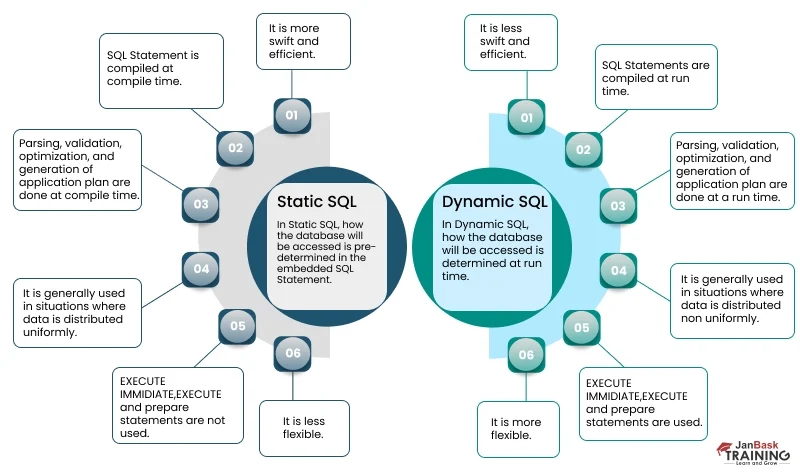
To order rows by a column chosen at run time without dynamic SQL, use a CASE expression inside ORDER BY that maps your parameters to columns, one CASE for each sort position. It is readable and avoids dynamic SQL, but the expression is not sargable and can force a scan; check the plan.
Map a parameter to a column with CASE in ORDER BY
You can pass a column name into a stored procedure and map it to a real column with a searched CASE expression in the ORDER BY clause. This is the core of a CASE in ORDER BY dynamic column pattern: each CASE checks the parameter value and returns one column. When no WHEN condition is true, SQL Server returns NULL for that sort key, so an unmatched branch does not throw an error.
The example below uses a simplified SalesOrderHeader table. It was tested on SQL Server 2019 CU18 with the database compatibility level set to 150. The procedure uses one CASE expression per sort position, which keeps the data type consistent inside each branch.
CREATE OR ALTER PROCEDURE dbo.GetOrdersSorted
  @SortColumn sysname
AS
BEGIN
  SET NOCOUNT ON;

  SELECT soh.SalesOrderID,
         soh.OrderDate,
         soh.Status,
         soh.SubTotal
  FROM Sales.SalesOrderHeader AS soh
  WHERE soh.OrderDate >= '2019-01-01'
  ORDER BY
    CASE WHEN @SortColumn = N'SalesOrderID' THEN soh.SalesOrderID END,
    CASE WHEN @SortColumn = N'OrderDate' THEN soh.OrderDate END,
    CASE WHEN @SortColumn = N'Status' THEN soh.Status END,
    CASE WHEN @SortColumn = N'SubTotal' THEN soh.SubTotal END;
END;
GO
A searched CASE expression evaluates its Boolean conditions sequentially and stops at the first true condition, as described in the CASE reference. That order is useful for a fallback, but the example above leaves the branch as NULL when no condition matches.
Sort direction and multiple sort keys
A single CASE can also implement ascending and descending order without concatenating SQL. Put ASC or DESC after each CASE expression, and create one branch for each column-direction pair. This covers the common sql server dynamic order by requirement while keeping the sort instructions visible in one place.
The procedure below accepts @SortDirection, guards it with a whitelist, and breaks ties with the SalesOrderID column. If @SortDirection is DESC, the ASC branch for the same column resolves to NULL and that column's values appear only in the DESC branch.
CREATE OR ALTER PROCEDURE dbo.GetOrdersSorted2
  @SortColumn sysname,
  @SortDirection VARCHAR(4) = 'ASC'
AS
BEGIN
  SET NOCOUNT ON;

  IF @SortDirection NOT IN ('ASC', 'DESC')
    SET @SortDirection = 'ASC';

  SELECT soh.SalesOrderID,
         soh.OrderDate,
         soh.Status,
         soh.SubTotal
  FROM Sales.SalesOrderHeader AS soh
  ORDER BY
    CASE WHEN @SortColumn = N'OrderDate' AND @SortDirection = N'ASC' THEN soh.OrderDate END ASC,
    CASE WHEN @SortColumn = N'OrderDate' AND @SortDirection = N'DESC' THEN soh.OrderDate END DESC,
    CASE WHEN @SortColumn = N'SalesOrderID' THEN soh.SalesOrderID END ASC,
    CASE WHEN @SortColumn = N'SubTotal' AND @SortDirection = N'ASC' THEN soh.SubTotal END ASC,
    CASE WHEN @SortColumn = N'SubTotal' AND @SortDirection = N'DESC' THEN soh.SubTotal END DESC,
    soh.SalesOrderID ASC;
END;
GO
When two rows share the same first sort value, the next CASE expression determines their order. SQL Server applies the sort keys from left to right, so the tie-breaker must come after the primary branch.
Priority ordering by column contents
You can also order rows by what a column contains, rather than by which column was selected. Assign a numeric priority to each business status in a CASE expression, and let that number drive the sort. The simple CASE form compares an expression to a set of values and supports only equality checks, which is enough for a fixed set of status codes.
| Status | Numeric value | Priority | Business order |
|---|---|---|---|
| Pending | 1 | 1 | Needs attention first |
| Processing | 2 | 2 | Active orders |
| Shipped | 3 | 3 | Completed |
| Cancelled | 4 | 4 | Closed last |
The query below sorts pending orders first, then processing, shipped and cancelled orders. It uses the simple CASE expression and a final OrderDate DESC tie-breaker.
SELECT soh.SalesOrderID,
       soh.OrderDate,
       soh.Status
FROM Sales.SalesOrderHeader AS soh
ORDER BY
  CASE soh.Status
    WHEN 1 THEN 1  -- Pending
    WHEN 2 THEN 2  -- Processing
    WHEN 3 THEN 3  -- Shipped
    WHEN 4 THEN 4  -- Cancelled
    ELSE 5
  END,
  soh.OrderDate DESC;
GO
This pattern also works when status names are stored as strings: map each string to a numeric priority in a searched CASE expression, then sort by that computed value.
Execution plan and why CASE is not sargable
A CASE expression in ORDER BY is computed from column values and parameters; it is not a direct column reference. SQL Server therefore cannot follow an index order to satisfy the sort. The plan may include a Sort operator, even when the table has an index on the column named inside the branch. Check the actual execution plan after you run the procedure.
The Showplan operator reference explains the physical operators SQL Server can choose, including Sort, and how to read counters such as ActualRows and ActualRebinds. A Sort that consumes a large number of rows is the cost to watch with this method.
OPTION (RECOMPILE) does not remove that Sort. It forces a fresh optimisation for the current parameter values, which can reduce a bad parameter-sniffing decision, but it still leaves the expression-based sort in place.
Alternatives: parameterised dynamic SQL and ROW_NUMBER
When the CASE list grows long or you need an index-friendly plan, parameterised dynamic SQL is the better tool. The key is not to concatenate user input directly. Validate the column name against sys.columns, then wrap it with QUOTENAME. This returns a delimited identifier and prevents a column name from being treated as executable code.
sp_executesql accepts a Unicode statement string and optional parameter definitions, and it compiles the dynamic batch separately from the calling batch. According to the sp_executesql reference, the query optimiser can reuse the execution plan for repeated runs when only parameter values change. It also returns 0 on success or a non-zero value on failure.
CREATE OR ALTER PROCEDURE dbo.GetOrdersSorted3
  @SortColumn sysname
AS
BEGIN
  SET NOCOUNT ON;

  IF NOT EXISTS (
    SELECT 1
    FROM sys.columns AS c
    WHERE c.object_id = OBJECT_ID(N'Sales.SalesOrderHeader')
      AND c.name = @SortColumn
  )
  RETURN;

  DECLARE @sql nvarchar(max);

  SET @sql = N'SELECT SalesOrderID, OrderDate, Status, SubTotal
                 FROM Sales.SalesOrderHeader
                 ORDER BY ' + QUOTENAME(@SortColumn) + N';';

  EXEC sys.sp_executesql @stmt = @sql;
END;
GO
ROW_NUMBER() over a CASE-ordered OVER clause and OFFSET-FETCH bring the same non-sargable sort into paging. They are useful when you need to page through a result that must stay in the same order across requests, but neither avoids the sort cost.
Frequently asked questions
How do I order by a dynamic column without dynamic SQL?
Use a CASE expression in ORDER BY that maps parameter values to column names.
Can I use ORDER BY CASE with ascending and descending order?
Yes: place ASC or DESC after each CASE expression, or use separate expressions per direction.
Is CASE in ORDER BY sargable?
No; it can add a Sort operator and prevent an ordered index scan.
What is the safer dynamic SQL alternative?
sp_executesql with QUOTENAME on a column name validated against sys.columns.
Sources
- Microsoft Learn, CASE (Transact-SQL)
- Microsoft Learn, sp_executesql (Transact-SQL)
- Microsoft Learn, Logical and Physical Showplan Operator Reference
More notes