
SQL Server 2008 New Tools: SSMS and Their Equivalents

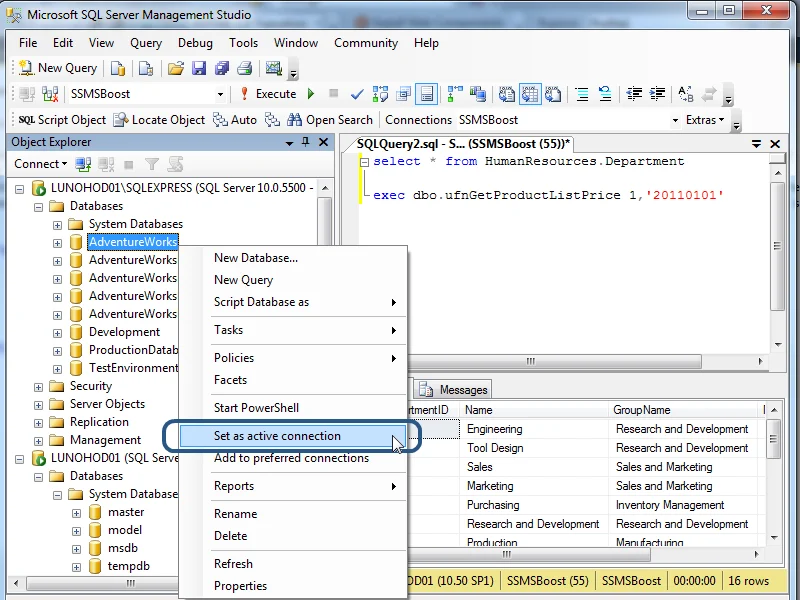
SQL Server 2008 introduced several SSMS tools still visible today: a redesigned Activity Monitor, T-SQL IntelliSense in the Query Editor, the Data Collector with the Management Data Warehouse, and Policy-Based Management. Modern replacements are SSMS 20 and Azure Data Studio; a quick map links each 2008 tool to its current equivalent.
Why SQL Server 2008 tools still matter
SQL Server 2008 reached general availability on 6 August 2008. The release matters because it standardised features SQL Server professionals still open every day: object metadata in the Query Editor, wait-level diagnostics and centralised collection of performance data. Many habits introduced in 2008 persist in current SSMS, so knowing the original names helps when you inherit older servers. A page split in SQL Server is also relevant when storage-bound queries show up in Activity Monitor.
Activity Monitor
SQL Server 2008 replaced the older Activity Monitor with a dashboard built around five panes:
- Overview
- Processes
- Resource Waits
- Data File I/O
- Recent Expensive Queries
Resource Waits and Data File I/O let a DBA separate CPU pressure, wait types and I/O bottlenecks without leaving SSMS. The Processes pane still shows sessions, blocked tasks and active requests. Activity Monitor remains in SSMS 20 with the same layout. For event-driven alerting outside the dashboard, blocked process event notifications pair with the Processes pane.
IntelliSense in Query Editor
SQL Server 2008 SSMS tools introduced T-SQL IntelliSense in the Query Editor. As you type, SSMS suggests keywords, table names, column names and stored procedures from the connected database. The feature shipped with limits: it did not work against SQL Server 2000 and required a connection to SQL Server 2008 or later. It also refreshed its cache lazily, so newly created objects sometimes did not appear until the cache was updated. SSMS 20 keeps IntelliSense for T-SQL and adds snippet completion; Azure Data Studio offers similar completion through its extensions.
Data Collector and Management Data Warehouse
Data Collector is the SQL Server 2008 tool for scheduled performance and disk usage collection. Each collection set defines what to gather and when; a server-side job runs dcexec.exe and uploads the data to the Management Data Warehouse (MDW). Built-in collection sets cover disk usage, query statistics and server activity, so you can review trends without hand-rolled jobs. Data Collector still exists in current SQL Server versions, but many monitoring scenarios moved to Extended Events and Azure Monitor. In practice, an inherited Data Collector deployment is worth checking for job failures and MDW growth before you add a new monitoring stack.
Policy-Based Management and Object Explorer Details
Policy-Based Management was the governance feature in SQL Server 2008 SSMS tools. A policy combines a condition, built on one or more facets, with a target set; facets expose server and database properties such as backup mode and naming standards. Object Explorer Details displays facets for the selected object, so you can evaluate a policy against a single instance. The feature remains in current SSMS, although much day-to-day drift detection has moved to scripts and external frameworks such as dbachecks.
SQL Server 2008 tool to current equivalent: quick map
| 2008 tool | Function in 2008 | Current equivalent or status |
|---|---|---|
| Activity Monitor | Live wait, process and I/O dashboard | Present in SSMS 20 with the same panes |
| IntelliSense | T-SQL completion in the Query Editor | Present in SSMS 20; Azure Data Studio offers completion through extensions |
| Data Collector | Scheduled collection sets to the Management Data Warehouse | Present in SQL Server; Extended Events and Azure Monitor cover many monitoring jobs |
| Policy-Based Management | Conditions and policies over server and database facets | Present in SSMS 20; scripts and drift frameworks often replace it |
| Object Explorer Details | Facet and property inspection | Present in SSMS 20 |
What to install today
For current work, install SSMS 20 for SQL Server administration and Azure Data Studio for cross-platform T-SQL work. SQL Server 2008 itself left extended support on 9 July 2019, according to the Microsoft Lifecycle Policy, so treat any remaining 2008 instance as a migration candidate. Current SSMS still connects to older versions for assessment and upgrade planning, but new development should target a supported release. If you need background on who maintains these comparison notes, see about sqlblogcasts.com Editors.
FAQ
What tools were introduced in SQL Server 2008?
SSMS 2008 introduced Activity Monitor, T-SQL IntelliSense for the Query Editor, Data Collector with the Management Data Warehouse, and Policy-Based Management.
Is IntelliSense available in SQL Server 2008?
Yes, in SSMS 2008 for T-SQL against SQL Server 2008 or later databases. It does not work against SQL Server 2000.
What replaced the Data Collector?
Data Collector still exists in current SQL Server versions, but Azure Monitor and Extended Events now cover many of the same monitoring scenarios.
Is SQL Server 2008 still supported?
No. Extended support for SQL Server 2008 ended on 9 July 2019.
Which tool should I use now?
Use SSMS 20 for SQL Server administration and Azure Data Studio for cross-platform T-SQL work.
Sources
- Microsoft Learn SQL Server documentation
- Microsoft Lifecycle Policy
More notes